From Monolith to Microservices
Most systems start as monoliths. A single deployable unit, a single database, a single team. For a long time, this is the right architecture — simple to reason about, easy to test, and fast to ship. The monolith becomes a problem when it starts fighting you: deployments take an hour, a bug in the payment module breaks the entire application, and ten teams are all stepping on each other in the same codebase.
Microservices decompose that monolith into independently deployable services, each owning its own data and communicating over well-defined APIs or messages. The goal is not to have many small services — it is to have the right boundaries so teams can move independently.
“Do not start with microservices. Start with a well-structured monolith, find the seams where teams and domains naturally separate, then extract services along those boundaries. Decomposing prematurely creates a distributed monolith — all the complexity of microservices with none of the benefits.”
The Strangler Fig pattern
The safest way to decompose a monolith is the Strangler Fig pattern: incrementally extract functionality into new services while the monolith continues to run. A facade (often an API gateway or Azure Application Gateway) routes traffic — new requests go to the new service, old requests go to the monolith. Over time, the monolith shrinks and the new services grow until the monolith can be retired.
- Identify a bounded context — a domain with clear ownership and minimal coupling to other modules (e.g. order management, user accounts, notifications).
- Build the new service independently, with its own database and deployment pipeline.
- Put a routing layer (API Gateway or Azure Front Door) in front of both the monolith and the new service.
- Migrate traffic incrementally — start with read traffic, then writes, then retire the monolith module.
- Repeat for the next bounded context.
Architecture Design on Azure
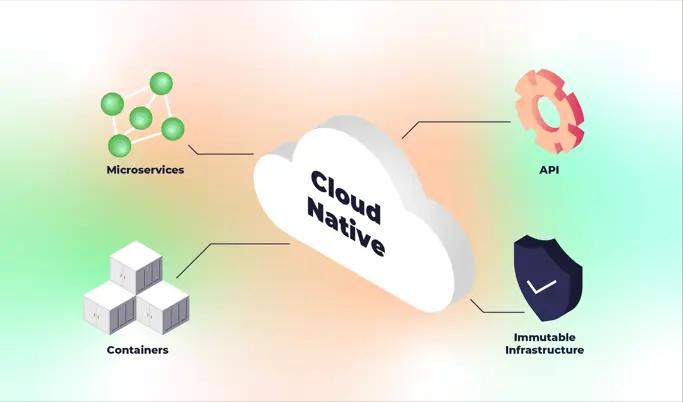
A cloud-native microservices architecture on Azure is built around three core decisions: where services run, how they communicate, and how each service manages its data.
Azure Kubernetes Service (AKS) as the runtime
AKS is the most common runtime for microservices on Azure. It provides container orchestration, service discovery, health management, rolling deployments, and horizontal scaling. Each microservice is packaged as a Docker image and deployed as a Kubernetes Deployment with its own service, resource limits, and health probes.
# k8s/order-service.yaml
apiVersion: apps/v1
kind: Deployment
metadata:
  name: order-service
  namespace: production
spec:
  replicas: 3
  selector:
    matchLabels:
      app: order-service
  template:
    metadata:
      labels:
        app: order-service
    spec:
      containers:
        - name: order-service
          image: myregistry.azurecr.io/order-service:1.0.0
          ports:
            - containerPort: 8080
          resources:
            requests:
              cpu: 100m
              memory: 128Mi
            limits:
              cpu: 500m
              memory: 256Mi
          livenessProbe:
            httpGet:
              path: /healthz
              port: 8080
            initialDelaySeconds: 10
            periodSeconds: 15
          readinessProbe:
            httpGet:
              path: /ready
              port: 8080
            initialDelaySeconds: 5
            periodSeconds: 10
Per-service data isolation with Azure Cosmos DB
Each microservice owns its data. No shared databases — this is the most important rule. Shared databases create invisible coupling: one service's schema change breaks another service's queries. Use Azure Cosmos DB for services that need globally distributed, low-latency reads, or Azure SQL / PostgreSQL Flexible Server for relational workloads.
- One database (or database account) per service — never share a database between two services.
- If service A needs data owned by service B, it calls service B's API or subscribes to service B's events.
- Cosmos DB's partitioning model aligns well with microservice access patterns — partition by the entity your service most frequently queries (e.g. orderId, customerId).
- Use Cosmos DB change feed to publish events when data changes — other services subscribe to these events rather than polling.
Asynchronous messaging with Azure Service Bus
Synchronous HTTP calls between services create tight coupling and cascade failures. If the payment service is slow, the order service becomes slow too. Use Azure Service Bus for asynchronous, decoupled communication between services — especially for operations that do not need an immediate response.
// Publishing an event to Service Bus from the Order service
public class OrderService
{
    private readonly ServiceBusSender _sender;

    public async Task PlaceOrderAsync(Order order)
    {
        await _orderRepository.SaveAsync(order);

        var message = new ServiceBusMessage(
            JsonSerializer.Serialize(new OrderPlacedEvent
            {
                OrderId = order.Id,
                CustomerId = order.CustomerId,
                TotalAmount = order.Total,
                PlacedAt = DateTimeOffset.UtcNow
            }))
        {
            Subject = "order.placed",
            ContentType = "application/json"
        };

        await _sender.SendMessageAsync(message);
    }
}
Distributed Tracing and the Outbox Pattern
When a request spans five services, a log in one service tells you nothing on its own. You need distributed tracing — a way to follow a single request across every service it touches and see where time was spent or where it failed.
OpenTelemetry and Azure Monitor
OpenTelemetry is the open standard for distributed tracing and metrics. Instrument your services once with the OpenTelemetry SDK and export traces to Azure Monitor (Application Insights). Every cross-service call propagates a trace context — a correlation ID that links all the spans from a single user request into one end-to-end trace.
// Program.cs — wire up OpenTelemetry in .NET
builder.Services.AddOpenTelemetry()
    .WithTracing(tracing => tracing
        .AddAspNetCoreInstrumentation()
        .AddHttpClientInstrumentation()
        .AddEntityFrameworkCoreInstrumentation()
        .AddAzureMonitorTraceExporter(options =>
        {
            options.ConnectionString = builder.Configuration
                ["ApplicationInsights:ConnectionString"];
        }))
    .WithMetrics(metrics => metrics
        .AddAspNetCoreInstrumentation()
        .AddRuntimeInstrumentation()
        .AddAzureMonitorMetricExporter());
In Azure Monitor, use the Application Map to see the topology of your services and where latency or failures are occurring. Use Transaction Search to drill into a specific failing request and see every span across every service.
The Outbox Pattern for reliable event publishing
A common bug in event-driven microservices: a service saves data to its database and then publishes an event to Service Bus. If the service crashes between those two steps, the data is saved but the event is never published — downstream services never know the order was placed.
The Outbox Pattern solves this by writing the event to an outbox table in the same database transaction as the business data. A background process (the outbox relay) reads from the outbox table and publishes to Service Bus, marking events as published once confirmed. The event is guaranteed to be published exactly once, even if the service crashes mid-operation.
// Save order + outbox event in a single transaction
public async Task PlaceOrderAsync(Order order)
{
    await using var transaction = await _db.Database.BeginTransactionAsync();

    _db.Orders.Add(order);
    _db.OutboxMessages.Add(new OutboxMessage
    {
        Id = Guid.NewGuid(),
        Type = "order.placed",
        Payload = JsonSerializer.Serialize(new OrderPlacedEvent(order)),
        CreatedAt = DateTimeOffset.UtcNow,
        PublishedAt = null  // null = not yet published
    });

    await _db.SaveChangesAsync();
    await transaction.CommitAsync();
    // Background relay will pick up the outbox message and publish to Service Bus
}
Avoiding Common Pitfalls
Microservices introduce a class of problems that do not exist in a monolith. Teams that are not prepared for them end up with something worse than what they started with: a distributed monolith that is hard to deploy, hard to debug, and has all the operational complexity of microservices without the independence.
The distributed monolith anti-pattern
The most common microservices failure mode: services that are technically separate deployables but are tightly coupled at runtime. Service A calls Service B synchronously, which calls Service C, which queries Service A's database directly. The result: you cannot deploy A without also deploying B and C, latency is additive, and a single slow service degrades everything.
Signs you have a distributed monolith: services share a database, services cannot be deployed independently, a single business operation requires synchronous calls across 4+ services, and your integration test suite takes 40 minutes.
Handling distributed transactions with the Saga pattern
In a monolith, a database transaction guarantees atomicity: either all steps succeed or all are rolled back. In microservices, there is no cross-service transaction. Use the Saga pattern instead: define a sequence of local transactions, each publishing an event that triggers the next. If a step fails, compensating transactions undo the previous steps.
- Choreography-based saga — each service listens for events and reacts. Simple but hard to follow the overall flow.
- Orchestration-based saga — a central orchestrator (Azure Durable Functions works well here) coordinates the steps and handles compensations. Easier to reason about and debug.
- Use Azure Durable Functions for the orchestrator: they are stateful, handle retries automatically, and the workflow code reads linearly despite being async and distributed.
NGINX Ingress with rate limiting and TLS
Expose your microservices through a single ingress controller — do not give each service its own public endpoint. NGINX Ingress on AKS handles TLS termination (cert-manager + Let's Encrypt or Azure Key Vault certificates), path-based routing, rate limiting, and CORS in one place.
apiVersion: networking.k8s.io/v1
kind: Ingress
metadata:
  name: api-ingress
  annotations:
    nginx.ingress.kubernetes.io/rate-limit: "100"
    nginx.ingress.kubernetes.io/rate-limit-window: "1m"
    cert-manager.io/cluster-issuer: letsencrypt-prod
spec:
  ingressClassName: nginx
  tls:
    - hosts: [api.myapp.com]
      secretName: api-tls
  rules:
    - host: api.myapp.com
      http:
        paths:
          - path: /orders
            pathType: Prefix
            backend:
              service:
                name: order-service
                port: { number: 80 }
          - path: /payments
            pathType: Prefix
            backend:
              service:
                name: payment-service
                port: { number: 80 }
Want us to design your microservices architecture?
We help teams define service boundaries, design event-driven communication, and deploy production-grade microservices on AKS.
Closing Thoughts
Microservices done right unlock independent deployability, targeted scaling, and genuine team autonomy. But the architecture only delivers on that promise when service boundaries are well-drawn, data is isolated, communication is asynchronous where possible, and observability is built in from the start.
Start with the Strangler Fig pattern if you are decomposing a monolith. Use AKS as your runtime, Service Bus for async messaging, and the Outbox Pattern to guarantee event delivery. Instrument everything with OpenTelemetry from day one — you will be glad you did when you are debugging a production incident at midnight.